
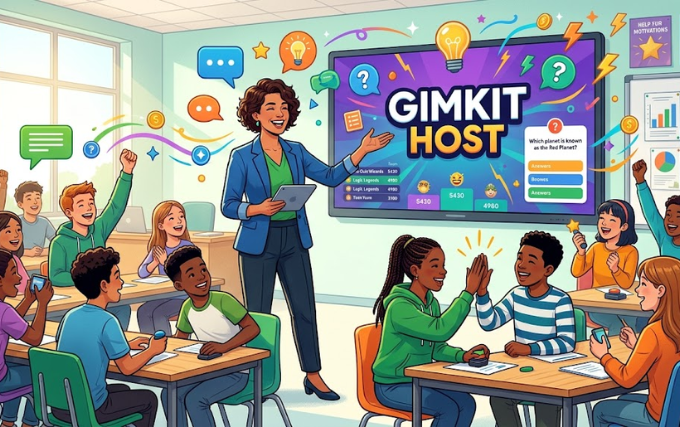
If you want to make classroom learning more exciting, a Gimkit host can turn ordinary quizzes into interactive game sessions. Gimkit combines questions, competition, strategy, and rewards in one simple platform.
Teachers, trainers, and group leaders can use it to review lessons, check understanding, or simply create a fun learning experience. The platform also gives hosts several tools to control games and keep participants involved.
What Is a Gimkit Host?
A Gimkit host is the person who creates, starts, and manages a game session. Usually, a teacher takes this role during a classroom activity.
The host chooses a quiz, selects a game mode, and shares access details with players. After everyone joins, the host controls when the game begins and monitors progress during the session.
Unlike a traditional quiz, Gimkit adds game mechanics to the experience. Players can earn virtual money, make strategic choices, and compete against classmates.
As a result, students often stay more focused throughout the activity.
How Does Gimkit Work?
Gimkit revolves around interactive quizzes called kits. A kit contains questions that players answer during a live game.
The host first selects an existing kit or creates one. Then, the host chooses a suitable game mode and starts the session.
Players join through the provided game access method. Once everyone enters the session, the host can begin the activity.
During gameplay, participants answer questions and use different strategies depending on the selected mode.
Some modes focus heavily on competition, while others introduce teamwork or different challenges. Therefore, hosts can choose an experience that matches their lesson and audience.
How to Become a Gimkit Host
Hosting a game does not require advanced technical skills. You mainly need an account, a kit, and participants.
Follow these general steps:
1. Create or Access an Account
Start by accessing the Gimkit platform and signing into your account. Teachers can then explore the available dashboard and game creation tools.
Your dashboard provides access to kits, game options, and other hosting features.
2. Create a Kit
A kit contains the questions that players will answer.
You can create questions around almost any educational topic. For example, you might build a kit about mathematics, science, history, vocabulary, or geography.
Keep questions clear and appropriate for your students. Also, mix different difficulty levels to maintain interest.
3. Select a Game Mode
After preparing your kit, choose a game mode that suits your activity.
Different modes can create different experiences. Some encourage individual competition, while others emphasize collaboration or strategic decisions.
Consider your lesson objective before choosing a mode. A quick review may need a simpler format, while a longer activity can support more strategic gameplay.
4. Start the Game
Once everything looks ready, launch the session.
Share the joining information with your participants. Students can then enter the game from their devices.
Give everyone a moment to join before starting. This small step prevents confusion and helps late participants understand what they need to do.
What Makes Gimkit Hosting Different?
Traditional quizzes usually focus on correct answers and final scores. Gimkit adds another layer through game-based mechanics.
Players may earn virtual currency and use it during gameplay. Their choices can influence their performance, which creates an element of strategy.
Consequently, students do more than simply answer questions.
They also think about how they should use their rewards and respond to changing circumstances. This approach can make repetitive review activities feel more dynamic.
Choosing the Right Game Mode
Game mode selection plays an important role in successful hosting.
Before starting, think about your students’ age, subject, group size, and learning objective.
For example, a competitive mode may work well when students enjoy fast-paced challenges. A cooperative mode can work better when you want students to work toward a shared goal.
You should also consider the available class time. A short lesson may benefit from a straightforward activity, while a longer session can accommodate more complex gameplay.
When possible, test unfamiliar modes before using them with your entire class. That preparation helps you avoid unnecessary interruptions.
Tips for Creating Better Kits
A good host needs good questions. Your kit should support the lesson rather than distract from it.
Start by writing questions that directly connect with your learning objective. Avoid unnecessary details that could confuse participants.
Next, vary the difficulty. Include straightforward questions alongside questions that require deeper thinking.
Short questions can keep gameplay moving quickly. However, occasional challenging questions can encourage students to think carefully.
You should also review every question before starting the game. Check spelling, answer choices, and correct answers carefully.
One incorrect answer can create confusion during a competitive session.
How to Keep Students Engaged
Hosting involves more than pressing the start button. Your interaction with students can strongly influence the overall experience.
Begin by explaining the rules clearly. Tell students how they should join, answer questions, and respond to the game’s mechanics.
Once gameplay starts, monitor the room instead of focusing only on the screen.
Encourage students to participate honestly and respectfully. If students become too focused on winning, remind them that learning remains the main purpose.
You can also add short discussions between rounds. Ask students why they selected certain answers or explain difficult concepts.
This approach turns the game into an active learning activity instead of simple entertainment.
Managing a Gimkit Session
A successful host keeps the session organized from beginning to end.
Before class, check your internet connection and make sure your device works properly. Also, prepare a backup activity in case technical problems appear.
During the session, watch for students who struggle to join. Help them without interrupting the entire class.
Keep an eye on the pace as well. If students need more explanation, pause the activity when appropriate and discuss the relevant topic.
Afterward, review the results and identify areas that need additional attention.
The results can help you understand which concepts students mastered and which concepts require more practice.
Using Gimkit for Different Subjects
Gimkit can support many subjects because hosts control the questions.
Mathematics
Create questions about formulas, calculations, equations, geometry, or problem-solving.
You can use short calculations for quick rounds. More complex questions can test students’ reasoning skills.
Science
Science teachers can create kits about biology, chemistry, physics, earth science, and other topics.
For example, a review game can cover vocabulary before an upcoming examination.
History
History kits can include dates, people, events, locations, and important historical concepts.
Instead of memorizing information alone, students can review material through repeated questions.
Language Learning
Language teachers can create kits around vocabulary, grammar, sentence structure, and reading comprehension.
Repeated exposure can help students remember unfamiliar words and concepts.
Gimkit Host Tips for Online Classes
Gimkit can also support remote learning activities.
First, provide clear joining instructions before the session begins. Students should know exactly how to access the game.
Next, keep communication channels open during gameplay. Students may experience connection problems or device issues.
Short sessions often work better online because participants can lose focus during lengthy activities.
You can also discuss incorrect answers after the game. This creates an opportunity to reinforce important concepts.
Common Hosting Mistakes to Avoid
Even a simple game can become frustrating without preparation.
One common mistake involves creating overly difficult questions. Students may lose motivation when every question feels impossible.
Another problem occurs when hosts ignore technical preparation. A weak connection or unfamiliar game mode can interrupt the session.
Some hosts also focus too heavily on competition. Winning can motivate students, but excessive pressure can reduce the educational value.
Finally, avoid rushing through results. Take time to discuss important mistakes and clarify confusing concepts.
Why Teachers Use Gimkit
Teachers often look for ways to make revision more interactive. Gimkit offers a familiar quiz structure while adding game elements.
The competitive environment can encourage participation from students who normally avoid traditional quizzes.
Furthermore, instant feedback helps students recognize mistakes during gameplay. The host can then use those results to guide future lessons.
Another advantage comes from flexibility. Teachers can create kits for specific lessons rather than relying on generic activities.
That flexibility makes the platform useful for revision, warm-up activities, assessments, and classroom competitions.
FAQs
Q: Can anyone become a Gimkit host?
A: Yes. Anyone who has access to the platform and its hosting features can potentially organize a game. However, available features can depend on the account and current platform offerings.
Q: Do students need to create accounts?
A: The joining process can vary depending on the current Gimkit setup and game configuration. Hosts should check the latest joining instructions before a session.
Q: Can I create my own questions?
A: Yes. Creating customized kits lets you match questions with your specific lesson or subject.
Q: Can Gimkit work for remote learning?
A: Yes. Students can participate using compatible internet-connected devices. Hosts should provide clear joining instructions and prepare for possible connection issues.
Q: Is Gimkit suitable for younger students?
A: It can work well with younger learners when the host chooses age-appropriate questions and game settings. Clear instructions also help younger participants understand the activity.
Q: How can I make a Gimkit game more educational?
A: Connect every question to a learning objective. After the game, review difficult questions and explain important concepts.
Conclusion
A Gimkit host can transform a regular quiz into a lively learning experience. The host controls the questions, game format, pace, and overall classroom environment.
Good preparation makes the biggest difference. Create useful questions, select an appropriate game mode, explain the rules, and monitor students throughout the activity.
Most importantly, remember the purpose behind the game. Competition can make learning exciting, but meaningful discussion creates lasting value.
With thoughtful planning, Gimkit can become a useful tool for classroom review, practice, and interactive learning.
