
Amazon Vine gives selected Amazon customers an opportunity to review products and share honest opinions. The program also helps eligible sellers introduce products to experienced reviewers and collect valuable customer feedback.
Many people search for amazon vine login when they want to access their Vine account, check available products, manage reviews, or use Vine through Seller Central. However, the login process depends on whether you participate as a Vine Voice or use Vine as an Amazon seller.
What Is Amazon Vine?
Amazon Vine is a product review program that connects selected Amazon reviewers with participating sellers. Amazon calls these reviewers Vine Voices.
Vine Voices can request eligible products and test them before writing honest reviews. Amazon selects these reviewers based on the quality and usefulness of their previous reviews.
For sellers, Vine provides a way to introduce products to experienced reviewers. Sellers provide products without charging the participating reviewers. In return, reviewers give their genuine opinions after trying the products.
The program focuses on useful and trustworthy customer feedback rather than guaranteed positive ratings.
Who Can Use Amazon Vine?
Amazon Vine has two main sides: reviewers and sellers.
Vine Voices use their regular Amazon account to access the Vine experience. Amazon does not provide a public application form that anyone can complete to become a Vine Voice. Instead, Amazon invites selected reviewers based on their review activity and other factors.
Sellers follow a different process. Eligible sellers access Vine through Seller Central. Amazon currently requires a Professional selling account and other eligibility requirements for sellers who want to enroll products.
Therefore, searching for an Amazon Vine login page can create confusion. Your correct route depends on your role.
Amazon Vine Login for Vine Voices
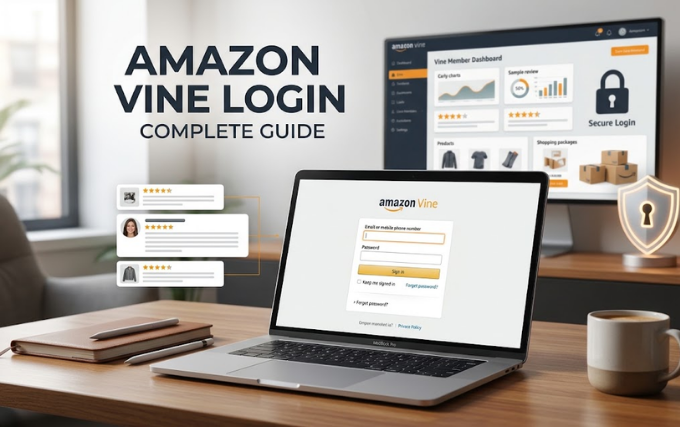
If Amazon invited you to participate as a Vine Voice, you normally use your Amazon account credentials to access your Vine activities.
Follow these steps:
- Open the official Amazon website for your marketplace.
- Select the account sign-in option.
- Enter the email address or mobile number connected to your Amazon account.
- Enter your Amazon password.
- Complete any security verification that Amazon requests.
- Open your Vine area after you sign in.
Amazon uses account security features to protect customer information. Never enter your Amazon password on an unfamiliar website.
If you cannot find the Vine section after signing in, check whether Amazon actually invited your account. Vine does not offer a standard public registration process for reviewers.
Amazon Vine Login for Sellers
Sellers normally access Vine through Amazon Seller Central rather than through a separate consumer Vine account.
Start by signing in to your Seller Central account. Then look for the Advertising section in the main navigation. Amazon provides access to the Vine dashboard from there when your account qualifies.
Once you reach the Vine dashboard, you can review eligible products and begin the enrollment process.
Amazon recommends that sellers maintain a Professional selling plan for Vine participation. Brand-related eligibility can also involve Amazon Brand Registry and appropriate brand roles.
Consequently, a seller may successfully sign in to Seller Central but still fail to see Vine. Account eligibility often explains that situation.
What Do You Need Before Signing In?
Your requirements depend on how you use Vine.
For Vine Voices
You generally need:
- An active Amazon customer account
- An invitation to participate in Vine
- Your correct Amazon login details
- Access to the marketplace connected with your Vine participation
- A secure device and internet connection
Amazon selects Vine Voices instead of allowing everyone to register directly. Review quality plays an important role in the selection process.
For Sellers
Sellers need additional requirements. Amazon currently lists a Professional selling account, eligible brand or reseller status, and qualifying FBA offers among the requirements.
Your product also needs to meet Amazon’s Vine requirements before you can enroll it.
How Sellers Access the Vine Dashboard
After completing the Amazon Vine login process through Seller Central, sellers can navigate to the Vine dashboard.
The general process looks like this:
Sign in to Seller Central → Advertising → Vine
From the dashboard, Amazon can show eligible products and relevant enrollment information. Sellers can then select qualifying products and choose the number of units they want to make available.
Amazon currently allows sellers to provide up to 30 units for an enrolled parent product. The program can generate reviews from Vine Voices who choose those products.
However, sellers should always check the latest requirements inside Seller Central because Amazon can change program rules.
How Does Amazon Vine Work After Login?
Logging in represents only the first step.
Vine Voices can browse products available through the program. They can choose products that interest them and fit their preferences. After receiving a product, they can test it and write an honest review.
Sellers follow another path. They enroll eligible products and provide units for Vine Voices to request.
Amazon connects enrolled products with selected reviewers who have relevant purchase experience and category knowledge.
This approach gives shoppers more information before they purchase a product.
Why Can’t I Find Amazon Vine After Signing In?
Several situations can explain this problem.
First, Amazon may not have invited your account to Vine. Reviewers cannot simply create a Vine account whenever they want.
Second, you may have signed in with a different Amazon account. Check the email address or mobile number linked to your account.
Third, a seller may lack the required eligibility. Seller Central access does not automatically guarantee Vine access.
Fourth, your marketplace may not support the program. Amazon currently lists the United States, Canada, United Kingdom, France, Germany, Italy, Spain, Australia, and Japan among the Vine marketplaces.
Finally, temporary account or website problems can affect access.
Common Amazon Vine Login Problems
Forgotten Amazon Password
If you forget your password, use Amazon’s standard account recovery process. Follow the verification instructions that Amazon provides.
Avoid creating another account unless you genuinely need one. A new account may not connect with your existing Vine participation.
Wrong Amazon Account
Some users have multiple Amazon accounts. Signing into the wrong account can make Vine disappear from your view.
Check your account email before troubleshooting further.
Vine Page Does Not Appear
Vine Voices need an invitation. Sellers also need to meet Amazon’s eligibility requirements.
Therefore, simply having an Amazon account does not guarantee Vine access.
Seller Central Shows No Vine Option
Check your selling plan, brand status, FBA setup, and product eligibility. Amazon requires qualifying conditions before sellers can access or use Vine.
Login Keeps Failing
Start with simple checks. Confirm your email, password, internet connection, and browser.
You can also clear your browser cache or try another supported browser. If the problem continues, use Amazon’s official account support options.
Amazon Vine Product Requirements for Sellers
Sellers cannot enroll every product through Vine.
Amazon currently requires an eligible FBA listing with an image and product description. Products generally need fewer than 30 reviews on the product detail page. Amazon also excludes certain categories, including adult, digital, and bundled products.
Sellers should also maintain suitable inventory so Amazon can fulfill Vine orders.
Before enrollment, review the latest requirements inside Seller Central. Amazon can update eligibility rules, fees, and enrollment limits.
How Much Does Amazon Vine Cost?
Amazon uses different enrollment fees depending on the number of units a seller provides.
According to Amazon’s current seller information, sellers pay no enrollment fee for up to two units. The current fee reaches $75 for three to ten units and $200 for eleven to thirty units in the United States. Amazon lists different amounts for other marketplaces.
Amazon also explains that sellers do not receive a charge until the relevant conditions occur. If an enrolled product receives no Vine review within 90 days, Amazon says the seller does not pay the enrollment fee.
Always check Seller Central for the latest pricing before enrolling products.
Can Anyone Become a Vine Voice?
No. Amazon Vine does not work like a normal public membership program.
Amazon invites Vine Voices based on factors related to their reviewing activity. Amazon describes Vine Voices as reviewers selected for insightful reviews and relevant experience.
You cannot guarantee an invitation by completing a special registration form.
Instead, focus on writing detailed, honest, useful reviews for products you genuinely purchase. Consistent quality can help your reviews provide more value to other shoppers.
Tips for a Safer Amazon Vine Login
Account security matters whenever you access Amazon.
Use these simple practices:
- Sign in through Amazon’s official website or official Amazon applications.
- Never share your Amazon password with another person.
- Avoid suspicious links that promise instant Vine membership.
- Check the website address before entering account details.
- Use a strong and unique password.
- Enable available account security features.
- Avoid saving your password on shared computers.
- Sign out after using a public or shared device.
Scammers sometimes create fake pages that imitate popular services. A genuine Vine invitation does not require you to give your Amazon password to a third-party website.
Does Amazon Vine Have a Separate App?
Users should not assume that every website or mobile application claiming to offer Vine access comes from Amazon.
For account access, use Amazon’s official services. Vine participation connects with the Amazon account or Seller Central account associated with your role.
When you see a third-party website promising special Vine access, treat the offer carefully. Never provide login credentials simply because a website uses Amazon’s name or logo.
What Happens After a Vine Review?
Vine reviewers provide their opinions after testing products. Amazon aims to give shoppers useful information through these reviews.
Sellers cannot demand a positive review. Vine works around honest feedback, which means a review can praise the product, criticize it, or mention both strengths and weaknesses.
That honesty makes the program useful for shoppers who want more information before buying.
Conclusion
The amazon vine login process becomes much easier once you understand the difference between Vine Voices and sellers.
Vine Voices need an Amazon account and an invitation from Amazon. Sellers access Vine through Seller Central and must meet the program’s eligibility requirements.
If you cannot see Vine after signing in, do not immediately assume that your password has a problem. Check your account, invitation status, seller eligibility, marketplace, and product requirements first.
Most importantly, use Amazon’s official services whenever you sign in. Avoid third-party pages that promise instant Vine invitations or special account access.
Amazon Vine can benefit both reviewers and sellers when participants follow the program’s rules. Reviewers can discover products and share genuine opinions, while sellers can gain valuable customer feedback for eligible products.
